Staylume documentation
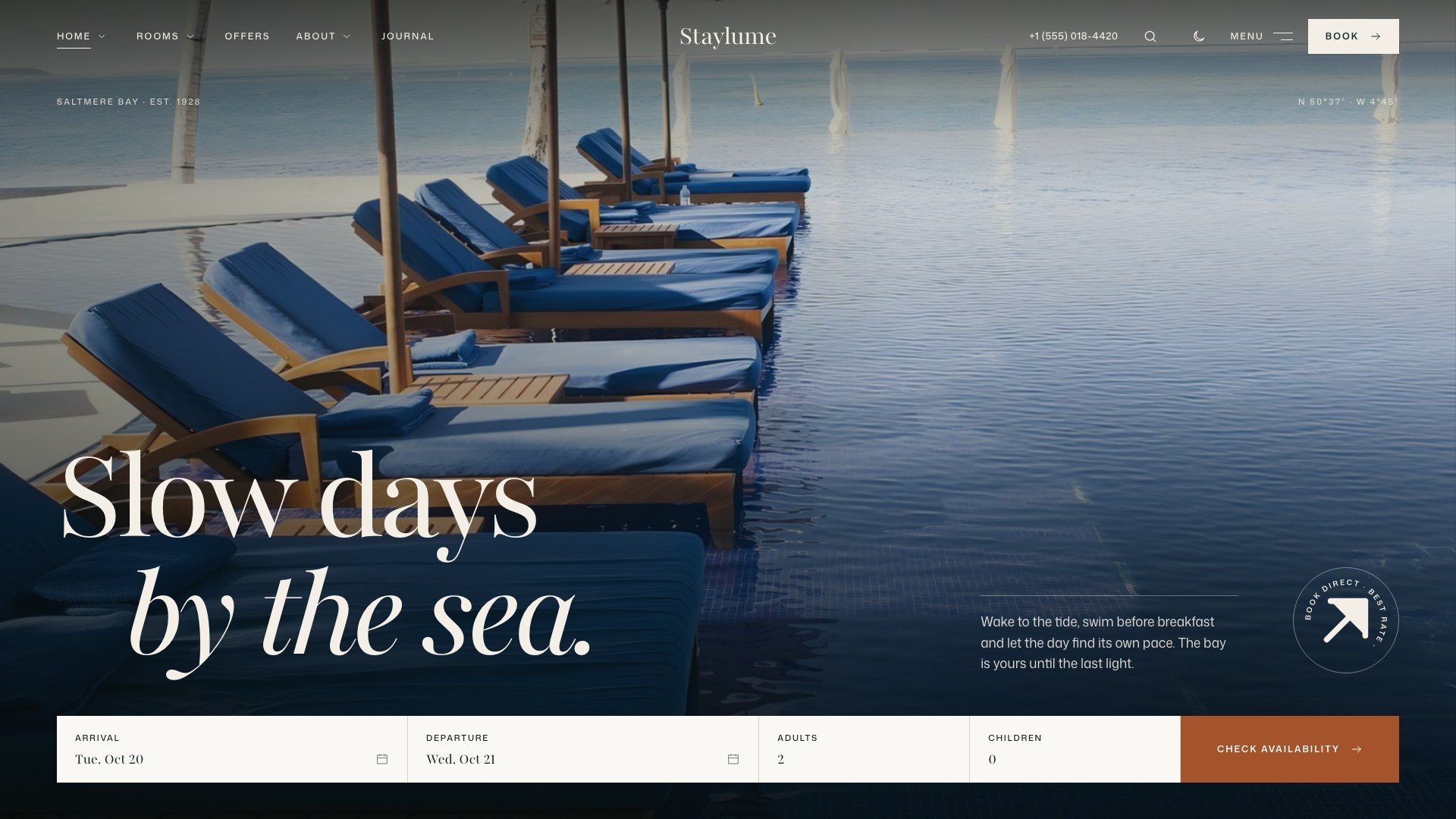
A WordPress theme for hotels and resorts: beach resorts, city boutique hotels, mountain lodges, private villas, spa retreats, country inns and holiday homes. Seven cinematic demos with full-screen photo heroes, live room availability with a date picker that shows free nights, seasonal and weekend rates, bookings or requests checked against the rooms you have, a booking calendar and iCal sync, stay offers, team profiles and a stay cost estimator.
Thank you for choosing Staylume. This guide takes you from a fresh WordPress site to a copy of the demo with your own details. If something is not covered here, write to support@codememory.com — we answer within one working day.
- Version2.0.0
- WordPress6.5 or later
- PHP7.4 or later
- Live demoOpen the demo
Highlights
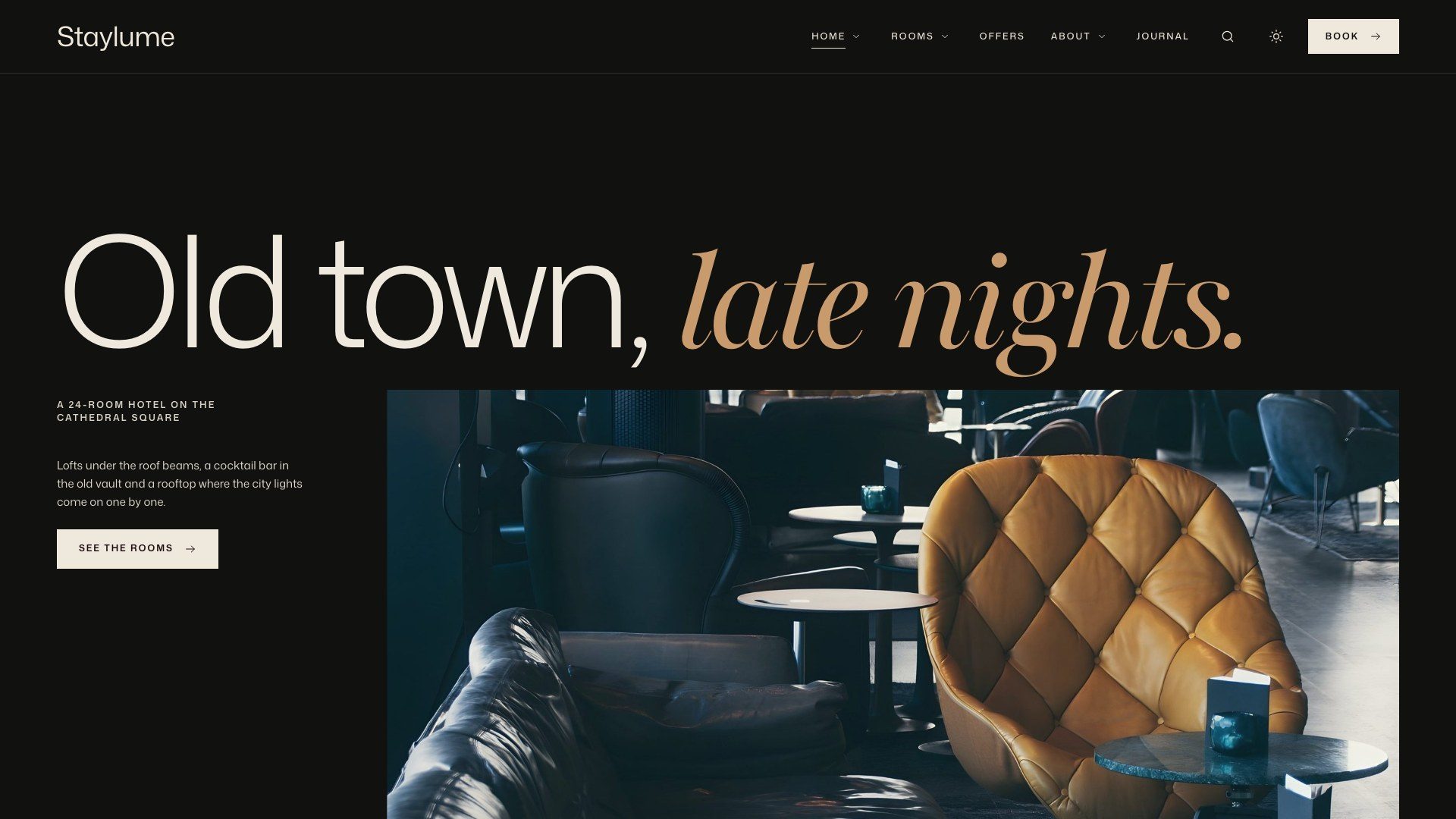
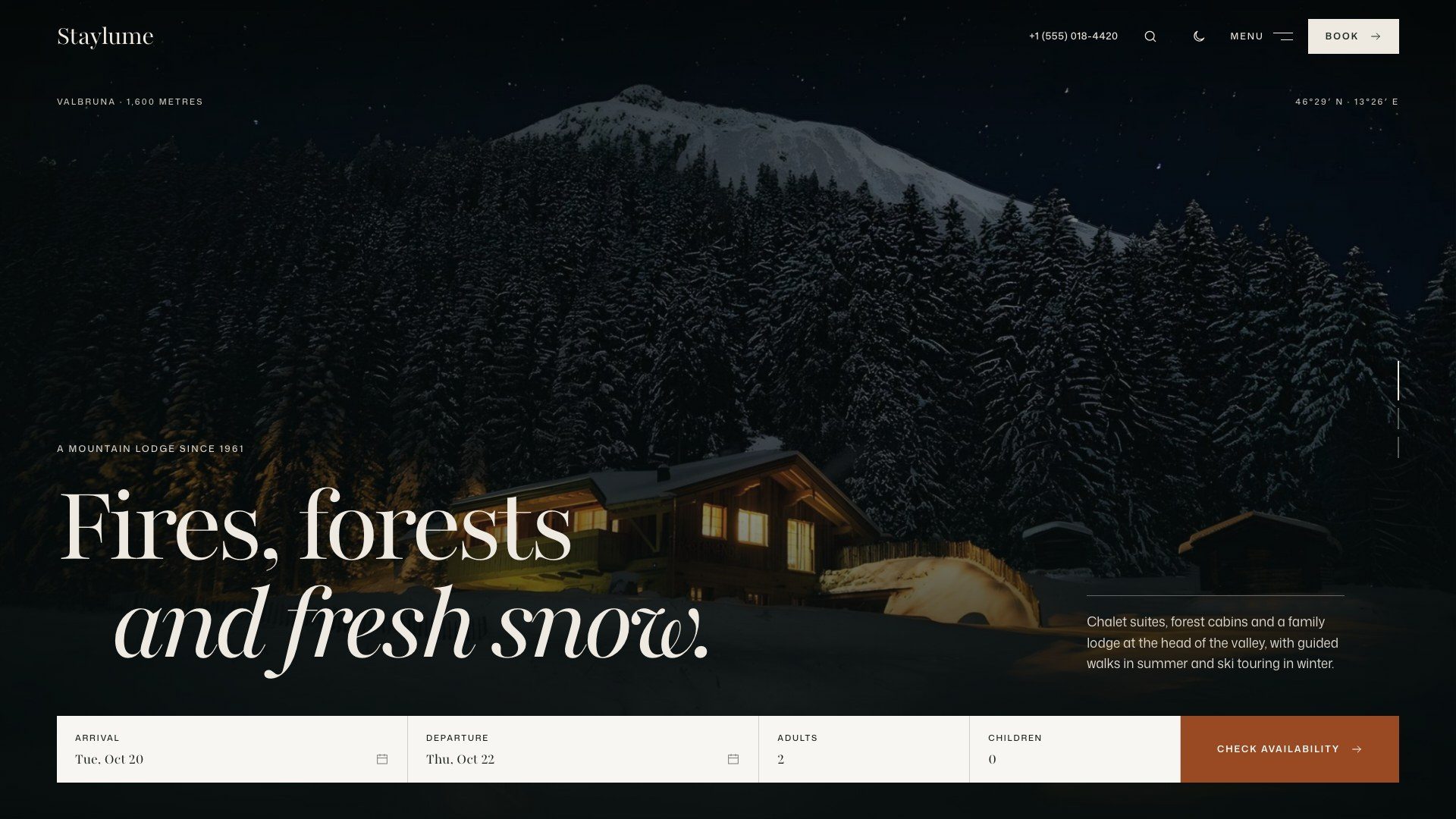
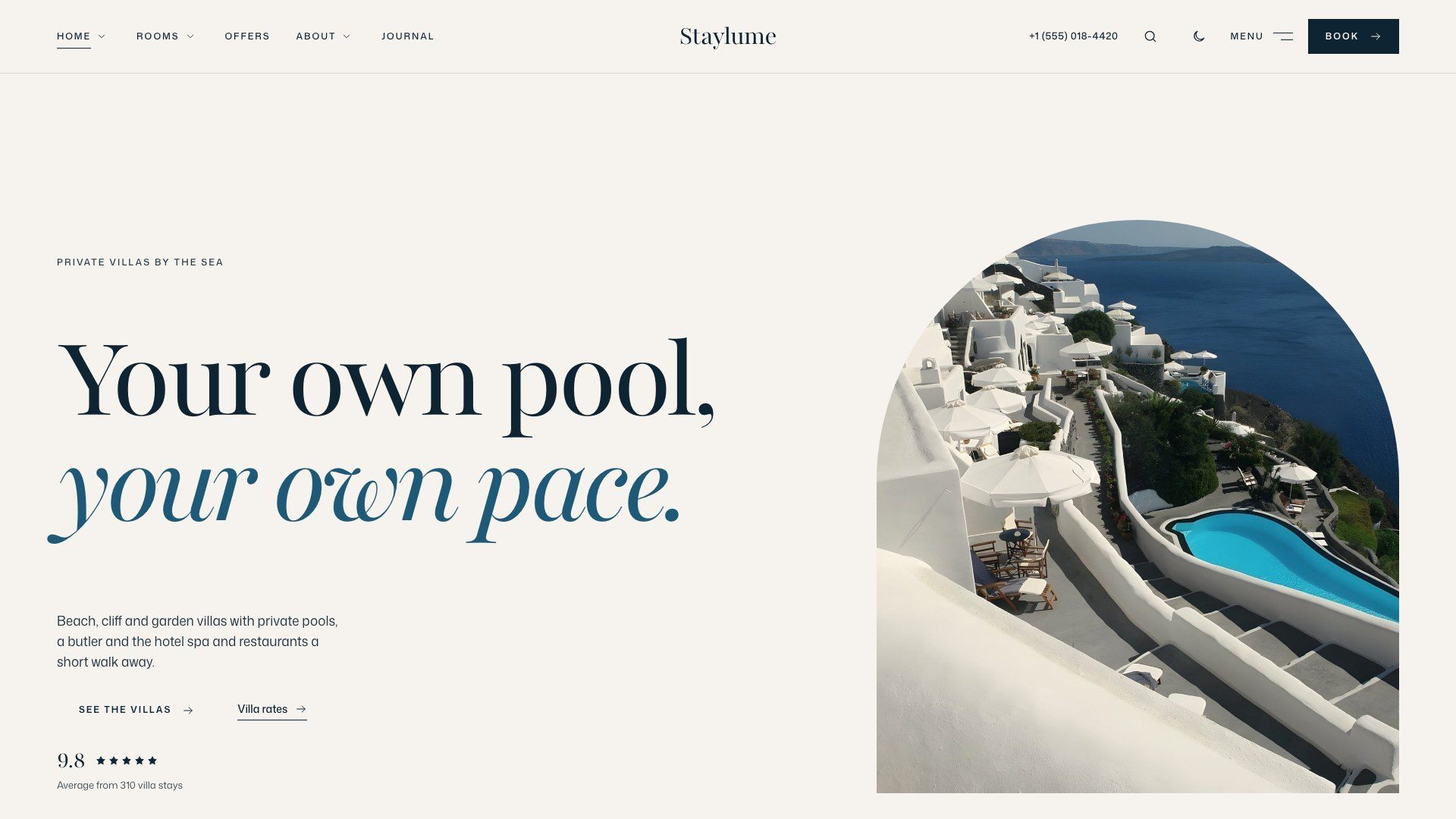
- Seven demos (six hotels and a pair of lakeside holiday homes), each with its own colours, fonts, header and layout, imported in one click
- Full-screen photo heroes with very large titles, in five layouts
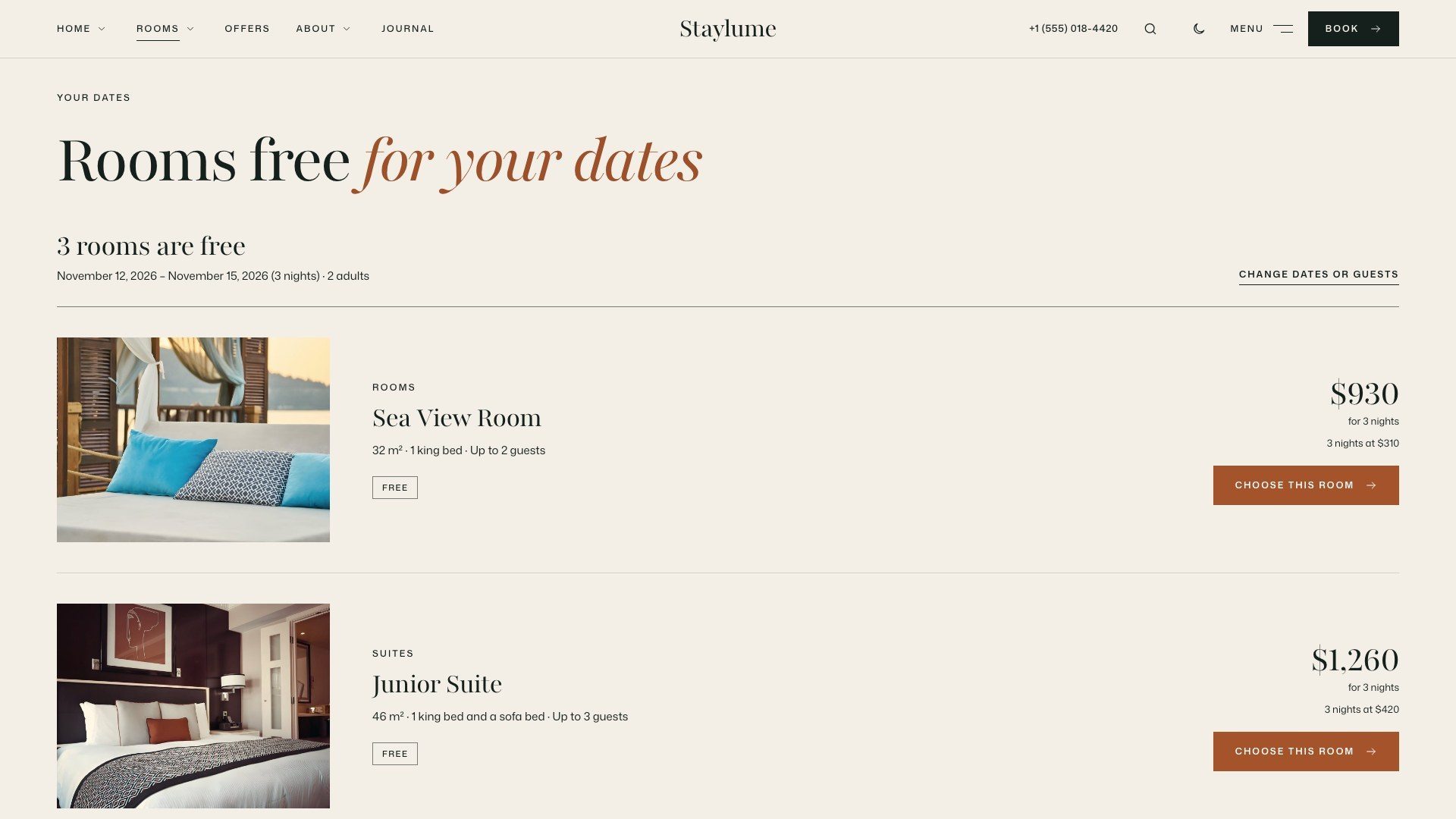
- Booking bar in the hero: pick dates in a calendar that shows free and booked-up nights, then see every room free for those dates with the price of the whole stay
- Smooth scrolling and gentle motion, off for visitors who prefer reduced motion
- Rooms with nightly rate, size, beds, guests, amenities and a photo gallery
- Every room page has its own availability calendar with each night's rate, and a booking card with the live price
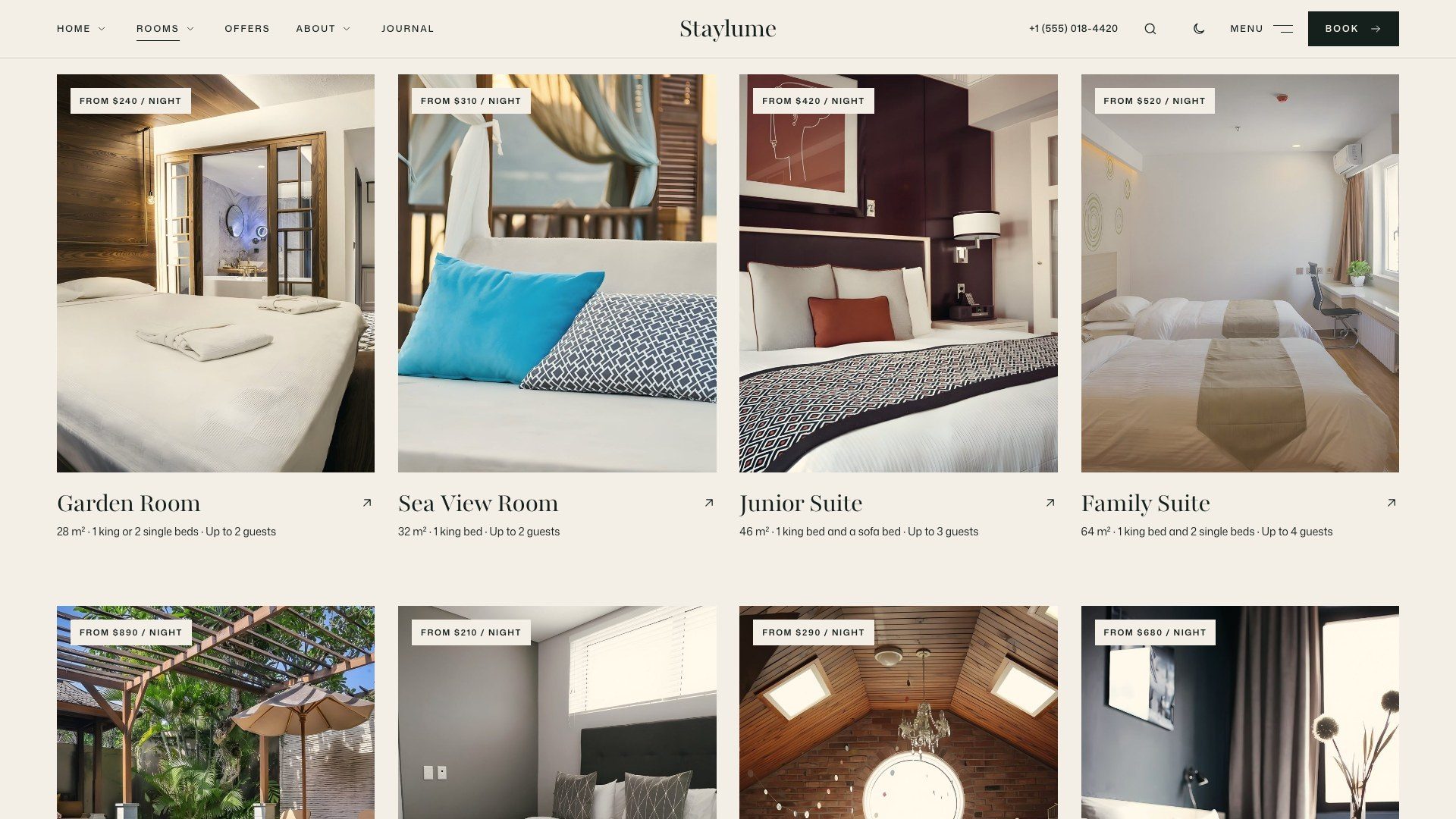
- Room types as a photo list, arched tiles or a showcase
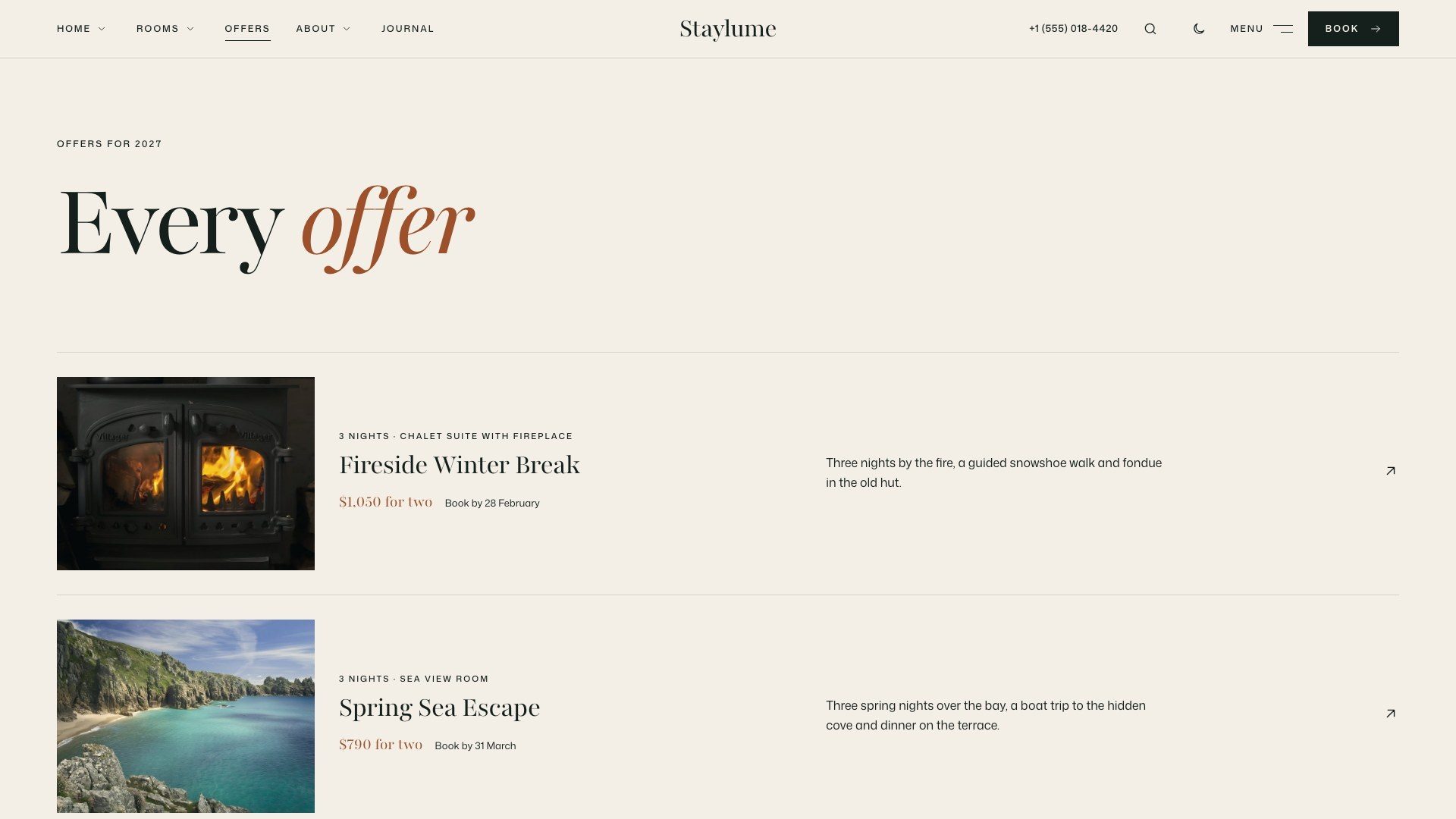
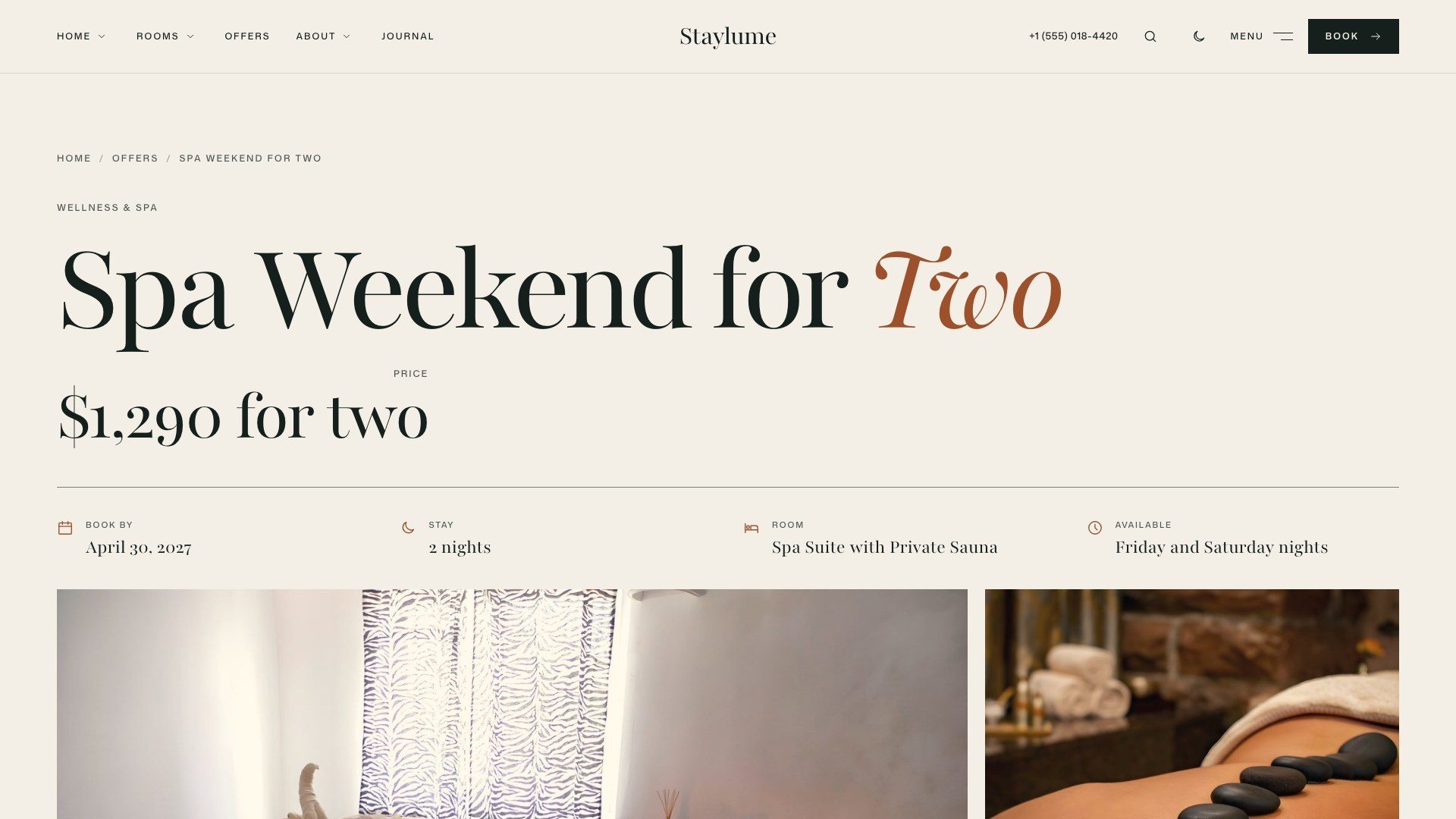
- Stay offers with price, stay length, room and the last day to book
- Real availability: set how many of each room you have, the shortest stay, weekend rates, seasons and closed nights; full nights cannot be booked, even by two guests at the same moment
- Take requests you confirm, or instant bookings, with a reference number and a receipt for the guest (nothing is paid online)
- Booking calendar in the dashboard with the rooms free each night, the week's arrivals, and bookings you add yourself for walk-ins and phone calls
- iCal calendar feeds: send each room's booked-up nights to booking sites and read theirs back every hour
- Stay cost estimator with a long-stay discount
- Photo gallery with a full-screen viewer
- Team profiles with role, languages and years with you
- Reservation hours with an "Open now" badge
- 27 Elementor widgets (free Elementor); every one also works as a shortcode
- Three header layouts with a full-screen menu
- Call and book bar on phones
- Light and dark mode, plus colours and heading font per page
- Colours and fonts from the Customizer
- Block patterns and every core block styled
- Self-hosted fonts, nothing loaded from Google
- Translation ready, right-to-left support
- Child theme included
What is in the download
themeforest-staylume-wordpress-theme/
├── staylume.zip               ← the theme: upload this in WordPress
├── staylume-child.zip         ← child theme, for your own code changes (optional)
├── plugins/staylume-core.zip  ← the theme's plugin (also installed from inside the theme)
├── demo-content/              ← demo files for a manual import
├── documentation/             ← this guide, as HTML and PDF
└── licensing/                 ← GPL licence, font licences and credits
staylume.zip, not the whole download. Uploading the download zip gives the error
"The package could not be installed. The theme is missing the style.css stylesheet."Screenshots
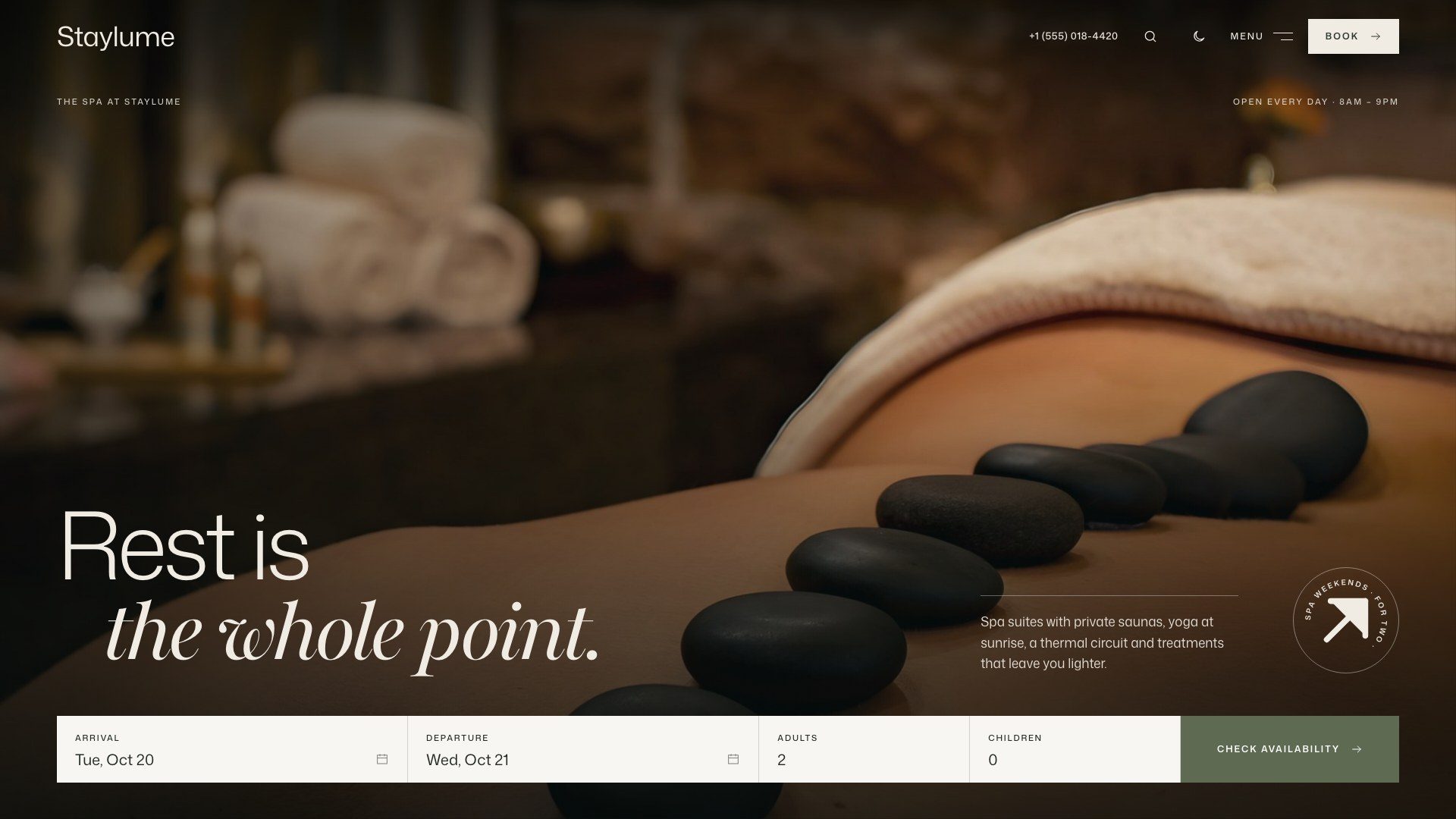
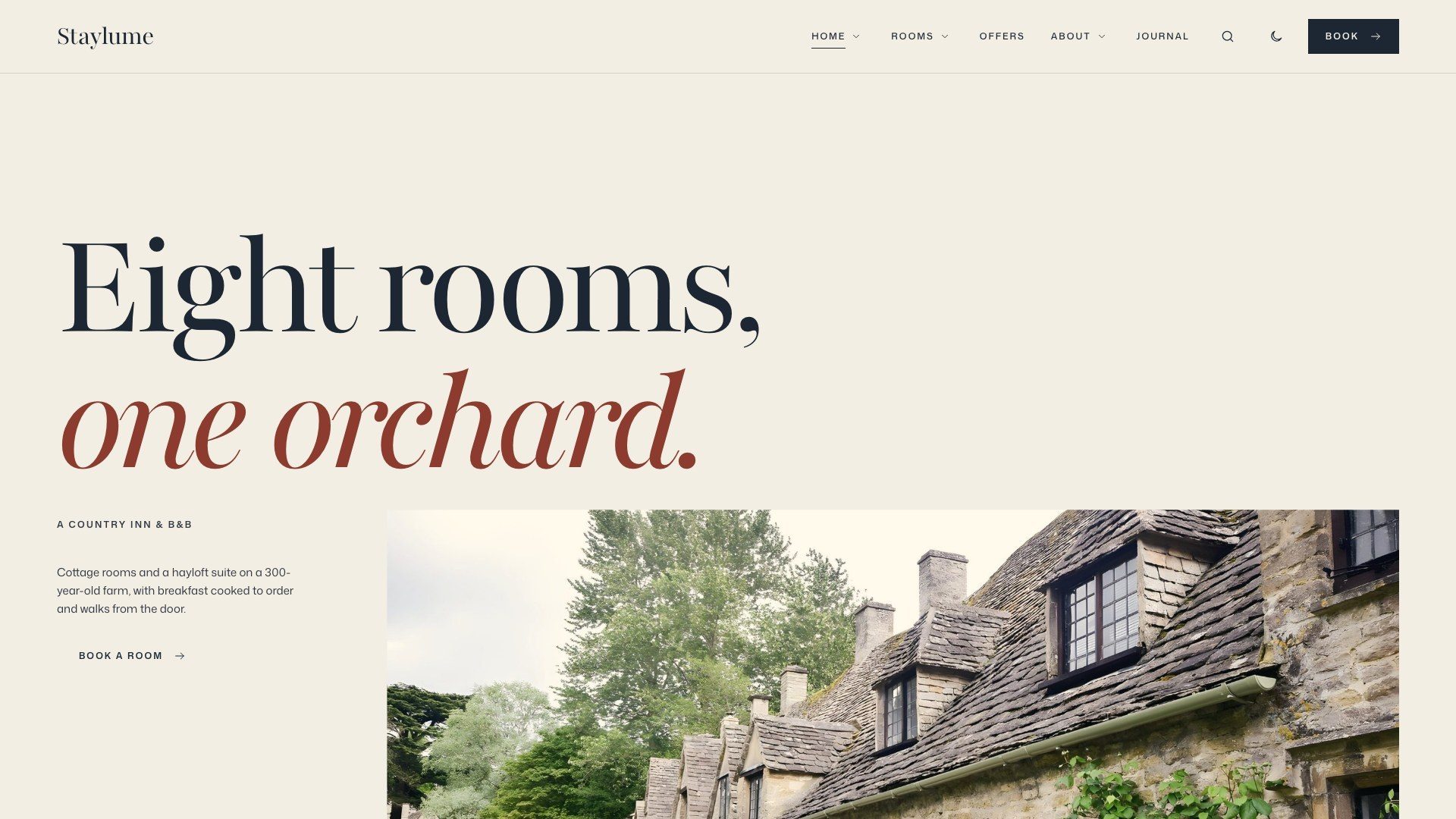
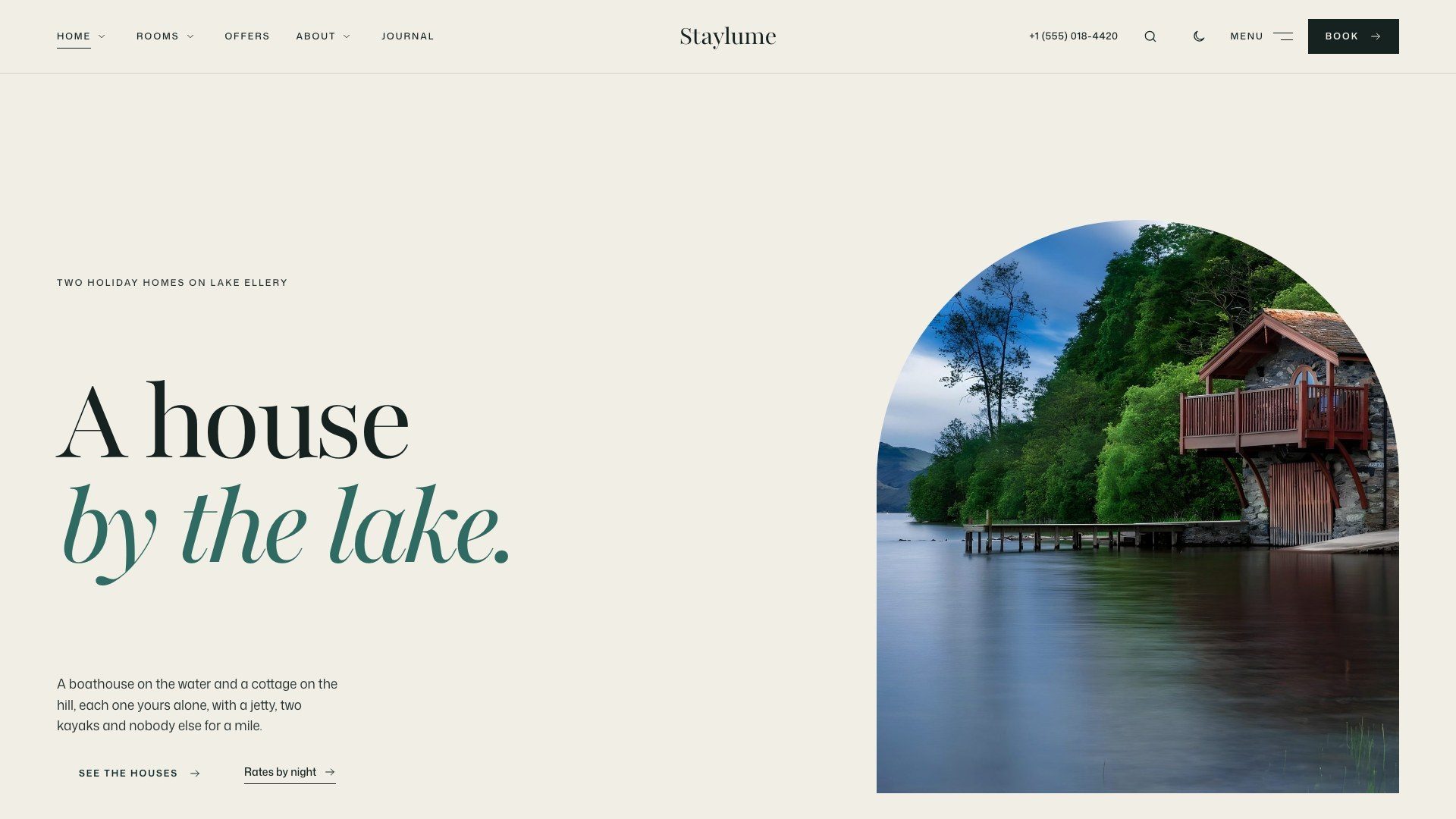
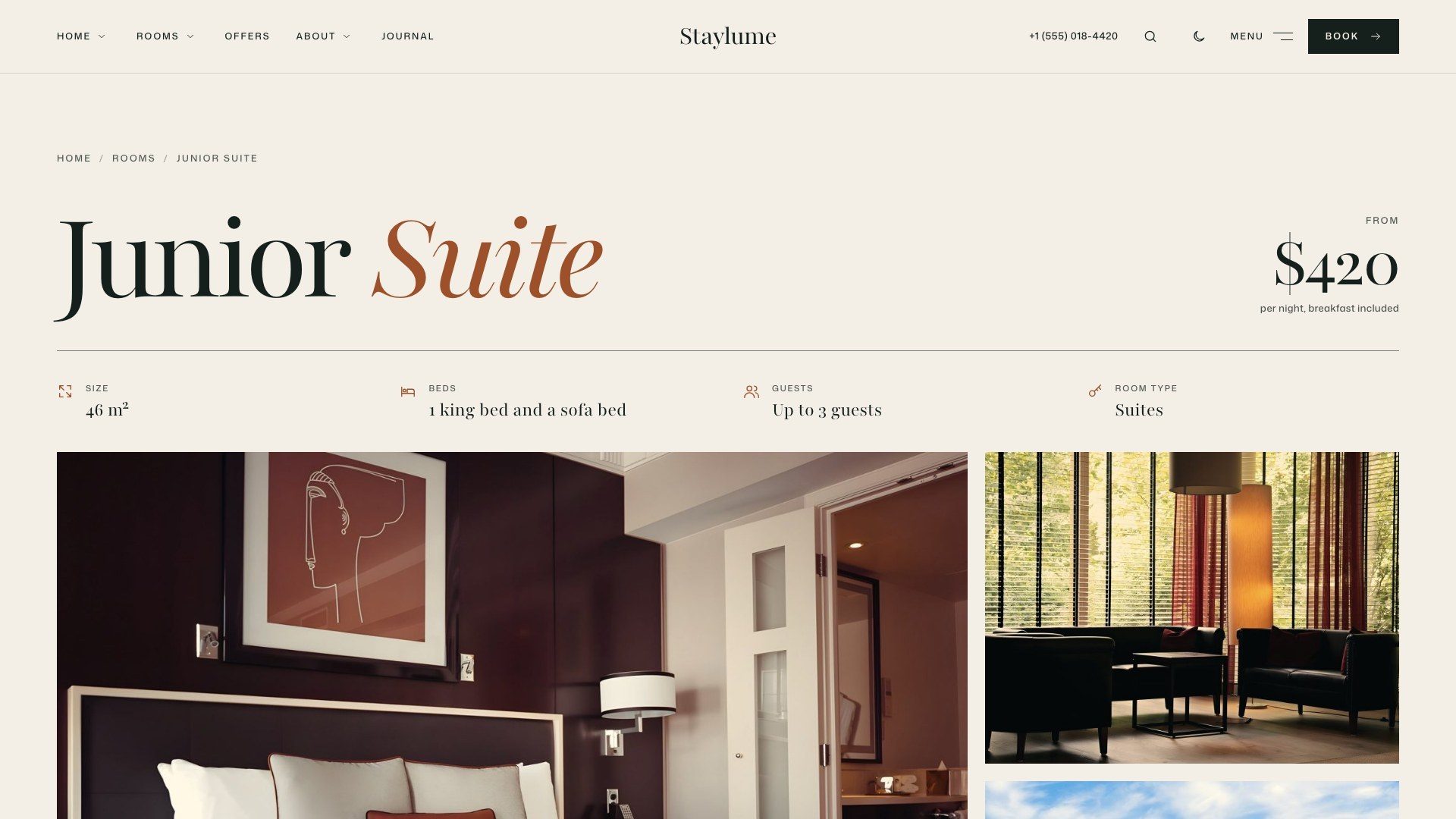
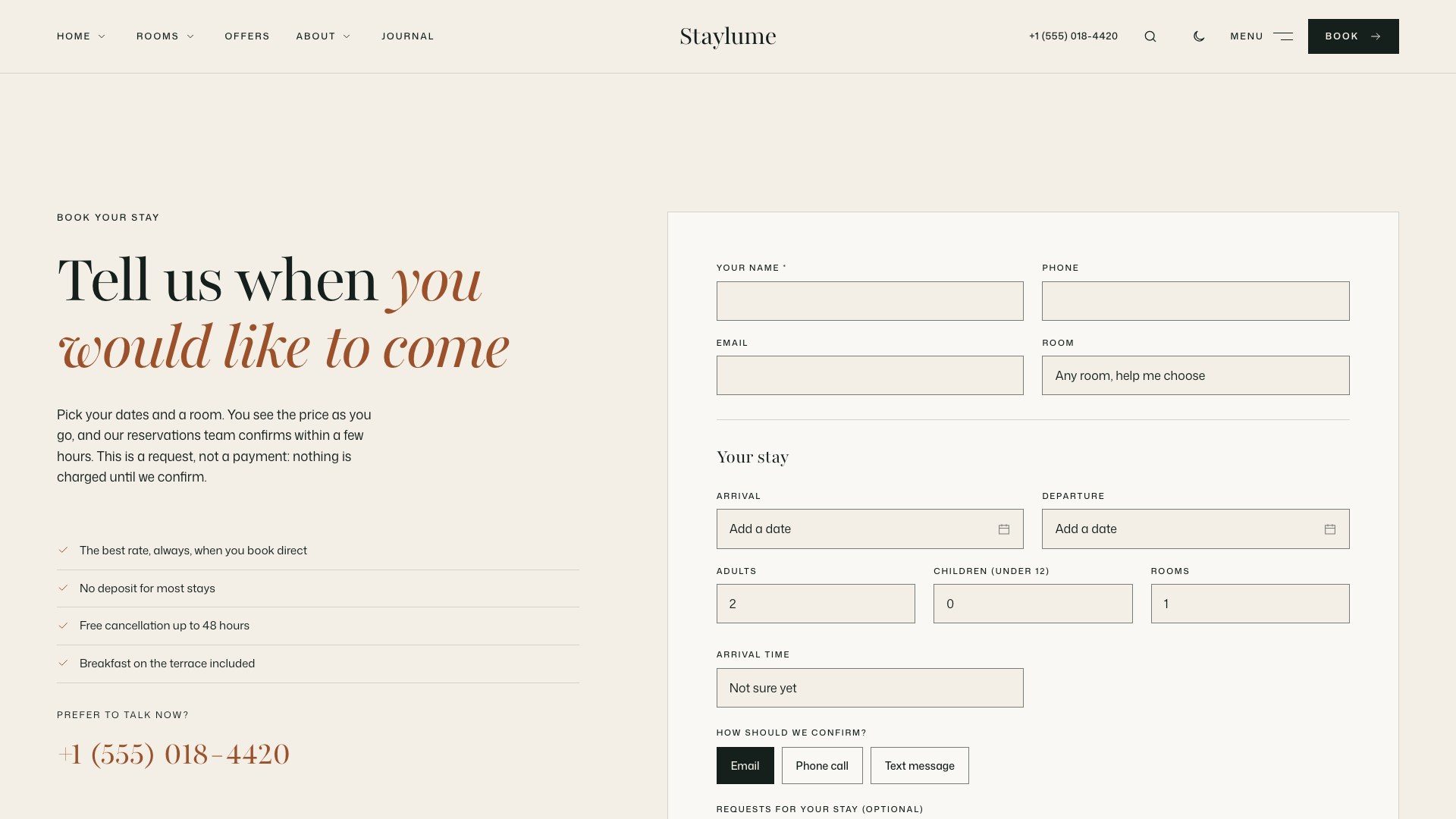
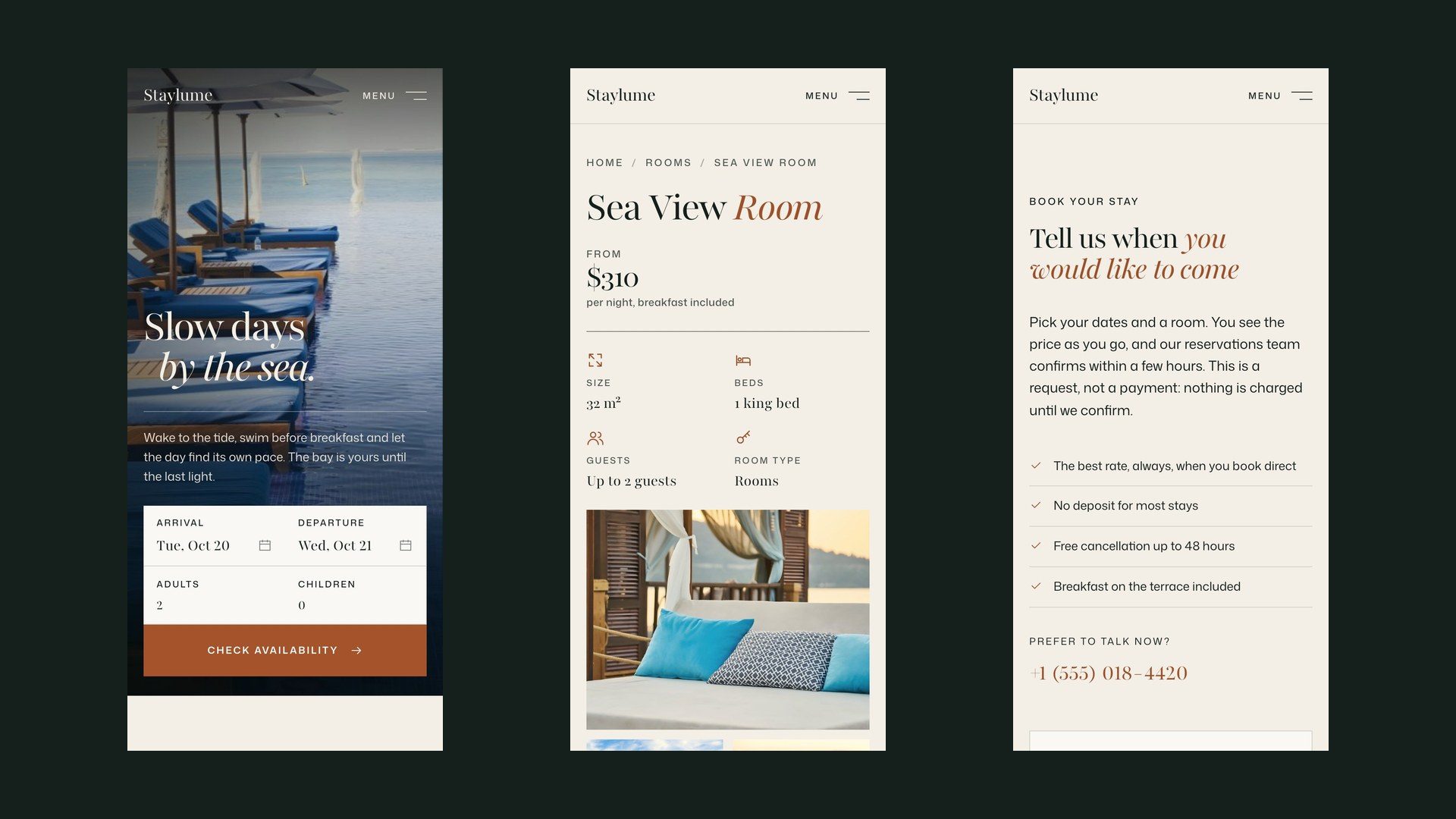
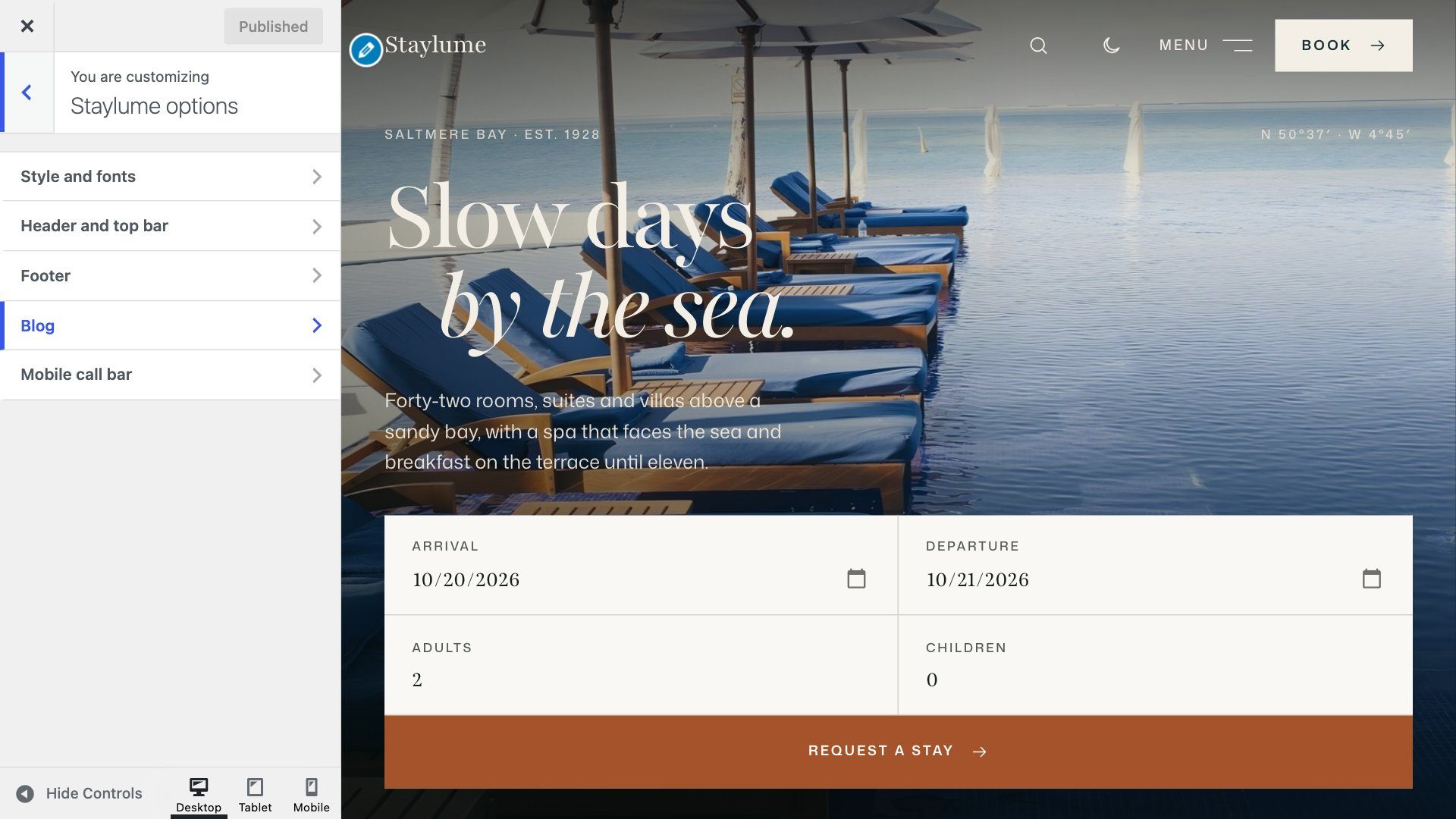
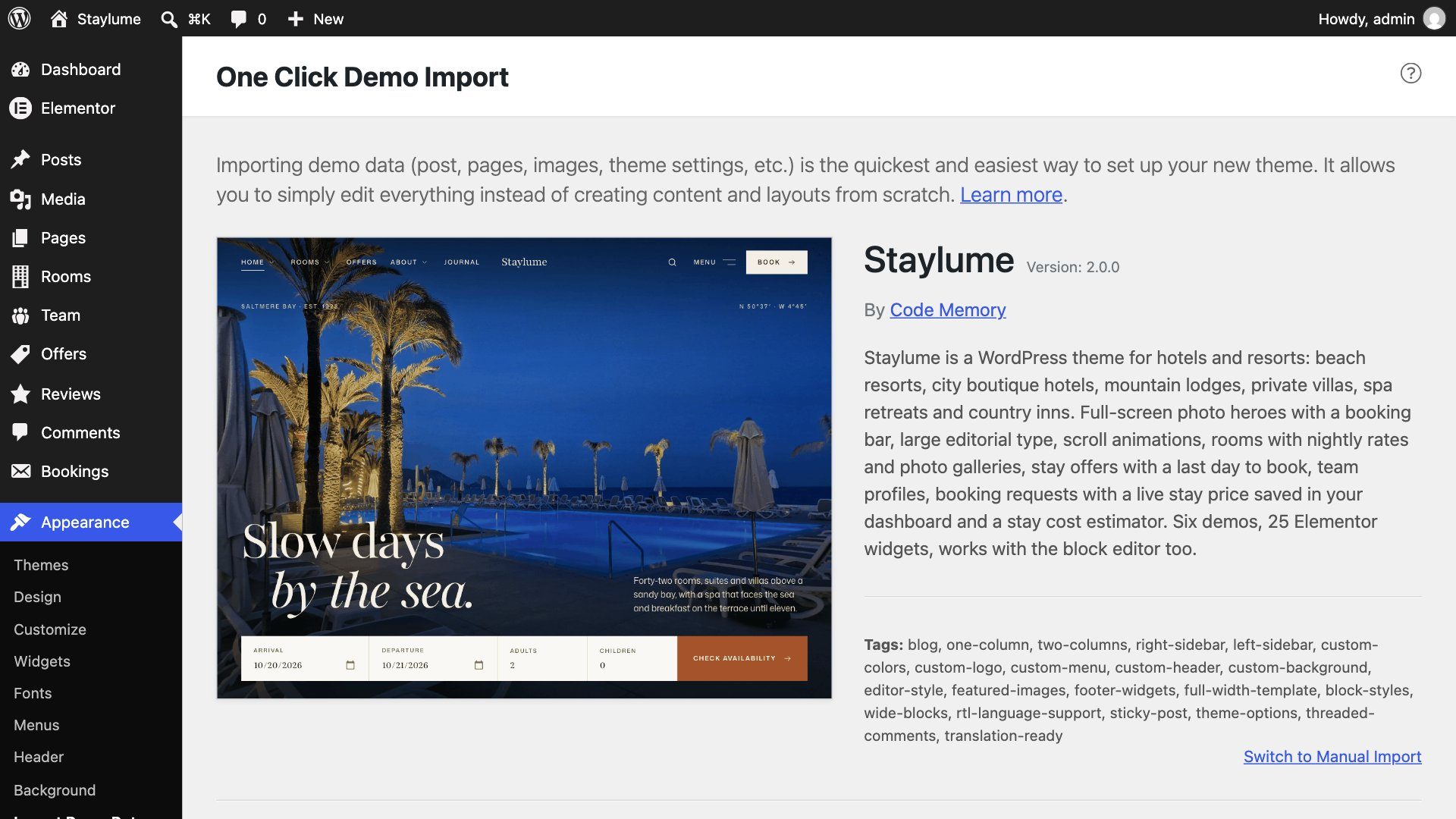
What you get after the demo import. The photos are the live demo's (licensed for the demo only; the import uses grey placeholders).
The website
The admin side
Requirements
- WordPress 6.5 or later (tested up to 7.1).
- PHP 7.4 or later (8.2 or later recommended).
- For the demo import: PHP
memory_limit256M,max_execution_time300, upload size 32M. Most hosts already allow this; if an import stops half-way, ask your host to raise these values.
Every plugin the theme uses is free from wordpress.org. Nothing needs a paid licence.
Installing the theme
- In your dashboard, go to Appearance → Themes → Add New Theme → Upload Theme.
- Choose
staylume.zipand click Install Now, then Activate. - Optional: install and activate
staylume-child.zipthe same way (see Child theme).
Upload by FTP instead: unzip staylume.zip and copy the staylume folder to
wp-content/themes/, then activate it under Appearance → Themes.
Plugins
After activation, a notice at the top of the dashboard lists the plugins the theme uses. Click Begin installing plugins (or go to Appearance → Install Plugins), select them all, choose Install, then activate them.
| Plugin | What it adds | |
|---|---|---|
| Staylume Core | Required | Rooms, offers, team, room types, occasions, reviews, room availability, bookings and the booking calendar, iCal feeds, reservation hours, stay cost estimator, widgets, shortcodes and the demo import. Included with the theme. |
| Elementor | Recommended | The free page builder used for the demo pages. The theme's own widgets appear in Elementor's Staylume group. |
| One Click Demo Import | Recommended | Imports a demo in one click. You can remove it after the import. |
The theme works without any plugin: posts, pages, menus, widgets and search are styled the same. The plugin is needed for the hotel features (rooms, availability, bookings, offers, team…).
Third-party plugins and services
The theme needs nothing paid. It uses free plugins from wordpress.org, and your site runs on services you choose yourself. These providers are not part of this item: each has its own terms and its own pricing tiers (some plugins sell optional paid upgrades), and you are responsible for any costs from them.
| Provider | What it is for | Cost |
|---|---|---|
| WordPress | The software the theme runs on | Free (GPL) |
| Elementor | Page builder used for the demo pages | Free; Elementor Pro is optional and not needed |
| One Click Demo Import | Imports a demo | Free |
| Web hosting and a domain name | Where your site lives | Paid, from the host and registrar you choose |
| Email delivery (for example WP Mail SMTP with an SMTP provider) | Sends the theme's form emails reliably | The plugin is free; the email provider may charge |
| Loco Translate or Poedit | Translating the theme (optional) | Free versions; paid upgrades optional |
The theme makes no calls to outside services: fonts and icons are inside the theme, and no visitor data is sent anywhere.
Importing a demo
The import gives you the demo site: pages, rooms, offers, team members, reviews, posts, menus, widgets and the Customizer settings. Use it on a new site: it adds content next to what you already have.
- Install the plugins above.
- Go to Appearance → Import Demo Data.
- Pick a demo and click Import. It takes one to three minutes; keep the page open.
- Done: visit your site. The home page, menus and blog page are already set.
| Demo | Home page | Accent |
|---|---|---|
| Beach resort | /home-resort/ | #a4532b |
| City boutique hotel | /home-boutique/ | #c99a6b |
| Mountain lodge | /home-lodge/ | #9a4a22 |
| Private villas | /home-villas/ | #1e5a78 |
| Spa & wellness retreat | /home-spa/ | #5e6b52 |
| Country inn & B&B | /home-inn/ | #8c3b2e |
| Lakeside holiday homes | /home-holiday/ | #2f6b62 |
All six home pages are imported with every demo; the demo you pick decides which one is the front page and which colours and header the Customizer uses. To switch later, go to Settings → Reading and choose another home page.
Manual import
If the one-click import is blocked by your host, use the files in demo-content/:
- Tools → Import → WordPress (install the importer when asked) → upload
content.xml. - Install Widget Importer & Exporter → Tools → Widget Importer & Exporter → upload
widgets.wie. - Install Customizer Export/Import → Appearance → Customize → Export/Import → upload
customizer-<demo>.dat. - Appearance → Menus → Manage Locations: set the main, top bar and footer menus. Settings → Reading: choose the home and blog pages.
After the import: your details
The demo uses a made-up phone number, address, reservation hours and rates. Replace them with yours, in this order:
- Phone number and top bar: Appearance → Customize → Staylume options → Header and top bar. Set Phone number, Top bar text (a short line such as your reception hours) and the Label next to the phone. Every "Call" button on the site uses this number.
- Logo and site icon: Appearance → Customize → Site Identity.
- Colours: Appearance → Customize → Colors. The seven demo home pages each have their own accent colour (see Page options); clear it there to use the Customizer colour.
- Rooms you have, rates, booking pages, reservation hours and booking emails: each room's Details box and Settings → Staylume Core (see Availability and bookings, Reservation hours and Stay cost estimator).
- Footer widgets: Appearance → Widgets → Footer column 1–4: edit the Contact details widget (address, phone, email).
- Your content: edit the rooms, offers, team and reviews in the dashboard menus of the same names, and replace the grey placeholder photos with your own.
Rooms, offers, team and reviews
The Staylume Core plugin adds four content types, a Room types list and an Occasions list to the dashboard. Each content type has a Details box under the editor.
| Menu | Used for | Details |
|---|---|---|
Rooms/rooms/ | One page per room or suite you sell. Shown by the Rooms widget and the rooms archive, and listed in the booking form. | Icon, rate per night ("$240"), rate note ("per night, breakfast included"), room size, beds, guests, how many of the room you have, sleeps, shortest stay, weekend rate, seasons, closed nights and calendar feeds (see Availability and bookings), amenities (one per line) and an "At a glance" list (one line per item as label|value, for example View|Sea and garden). |
Offers/offers/ | Packages and seasonal deals. Shown by the Offers widget as photo cards, the offer that ends first comes first. | Book by (the last day of the offer), stay length, room, price ("$690 for two"), availability ("Sunday to Thursday arrivals") and "Your stay" (one line per item as when|what, for example Day 1|Champagne on arrival). |
Team/team/ | The people guests meet: reception, restaurant, spa, concierge. | Role, years with you, languages, what to ask them about, where to find them and an optional email. The featured image is the portrait (a tall photo works best). |
| Reviews | Guest reviews shown by the Reviews widget (no page of their own). | Rating, reviewer ("Stayed in May 2026"), room or stay, where the review was left. The title is the reviewer's name; the text is the review. |
Room types (under Rooms) group rooms and offers, for example Suites or Villas. Each room type has its own
page at /room-type/<name>/, and the Room types widget shows each one as an arched photo tile with its
number of rooms. Occasions (under Rooms) group rooms and offers by what they suit, for example Romantic
escapes or Family stays, with a page at /occasion/<name>/. A room can have several occasions; the
Rooms and Offers widgets can show one occasion only.
With Hide offers that have ended on (the default), past offers are hidden; when none is current, the widget shows the latest ones instead of an empty section, marked Offer ended.
The featured image of a room, offer or post is used on its card and at the top of its page. Use landscape photos at least 1600 × 900 px.
Availability and bookings
Staylume Core knows how many of each room you have and which nights are taken. Guests see free and booked nights in the date picker, the price for their exact stay, and cannot send a booking for nights that are full. Everything runs in the plugin: no other booking plugin, no outside service, nothing to pay for.
1. Tell each room what you sell
Open a room (Rooms → Edit). Under Details:
| Field | What it does | Example |
|---|---|---|
| How many of this room you have | The most you can sell each night. Empty = 1. | 14 |
| Sleeps | The most guests in one room. Empty = the number in Guests. | 3 |
| Shortest stay | The fewest nights a booking can have. | 3 |
| Friday and Saturday night rate | A different rate for weekend nights. Empty = the nightly rate. | $270 |
| Seasons | One per line as from|to|rate|name. Dates like 07-01 repeat every year; 2027-07-01 is for that year only. A season can run over New Year. | 06-15|09-15|$290|Summer |
| Closed nights | Repairs or private use, one per line as from|to|note, both dates included. | 2027-01-10|2027-01-16|New carpets |
| Calendars to import | iCal links from the booking sites where you also sell this room (see Calendar feeds). |
The price of a stay adds up the rate of each night (a season's rate, else the weekend rate on Friday and Saturday, else the nightly rate), times the rooms, minus your long-stay discount (Settings → Staylume Core → Stay cost estimator). The room page shows a Rates by night table when a room has seasons or a weekend rate.
2. Choose how bookings work
Settings → Staylume Core → Availability and Bookings:
- Check availability (on by default): count the rooms each booking holds, show free and full nights and stop bookings for full nights. Turn it off to take plain requests with no checks.
- New bookings: Requests (you confirm each one; the guest sees "Request #123 is in") or Instant (a free room is booked at once; the guest sees "Booking #123 is confirmed").
- Hold rooms for requests: a request holds its rooms while you answer it, for this many days (3 by default). Confirmed bookings always hold their rooms; cancelled ones free them at once. Use 0 to hold until you cancel.
- Availability page: the page with the Rooms free for your dates widget. When it is set, the booking bar says Check availability and opens it with the guest's dates.
- Check-in and Check-out: shown on every booking ("From 3pm", "By 11am").
- Email guests a copy: the guest gets the reference number and the stay details by email.
- Payment note: shown under the form. Staylume takes no payments online; guests pay at the hotel or as you agree with them.
3. Put it on your pages
| Widget (Elementor) | Shortcode | Shows |
|---|---|---|
| Hero → Show the booking bar | [staylume_finder] | Dates and guests. With an availability page it lists the free rooms; otherwise it opens the booking form. Booking bar: only these rooms limits it to some rooms (room slugs). |
| Rooms free for your dates | [staylume_free_rooms] | Every room free for the guest's nights, cheapest first, with the price for the whole stay, rooms left and a button to book. Rooms that are not free are listed with the reason (booked up on a night, shortest stay, sleeps). |
| Room availability calendar | [staylume_room_calendar room="hayloft-suite"] | Two months of one room: free, last rooms and booked-up nights with each night's rate. Picking the dates shows the price; the button opens the booking form. |
| Booking form | [staylume_booking] | The full form: name, contact, room, dates, guests, rooms, arrival time and how to confirm, with the live price. |
Every room page also has the room's calendar and a booking card with the live price.
4. The date picker
Every date field on the site opens the same calendar: two months on wide screens, a sheet from the bottom of the screen on phones. Booked-up and closed nights are struck through, a dot marks the last rooms, and on a room's own calendar each night shows its rate. Departure stops at the first night that is not free. It works with the keyboard (arrow keys, Page Up and Page Down for months, Escape to close) and reads out each day's state to screen readers. Without JavaScript the fields fall back to the browser's own date fields and the checks still run when the form is sent.
5. Bookings in the dashboard
- Bookings → All bookings: every booking with its reference, room, dates, guests, price and status (New, Contacted, Waiting for guest, Confirmed, Cancelled).
- Bookings → Add a booking: walk-ins and phone bookings. Pick the room and dates; the price is worked out from the room's rates, and a warning shows if the room is not free for those nights.
- Bookings → Calendar: one month, every room down the side and the rooms still free each night. Point at a night to see who is staying. Below it, the guests arriving in the next seven days.
- Two guests who send the last room at the same moment cannot both get it: the plugin checks and saves each booking one at a time.
- Only editors and administrators see bookings and the calendar: guests' names, phone numbers and stays stay hidden from authors and contributors.
- Emails are sent by WordPress. If they do not arrive, install an SMTP plugin such as
WP Mail SMTP; bookings are saved in the dashboard either way.
Spam protection is built in: a hidden field, one booking per guest a minute and at most five bookings from one
internet address in ten minutes (guests on one hotel or office network share an address; the
staylume_core_booking_limitfilter changes the five).
6. Calendar feeds (iCal)
If you also sell a room on booking sites, keep the calendars in step both ways:
- Your calendar out: each room's Details box shows its feed address. Paste it into the booking site's calendar import. It lists the nights that are full or closed, and nothing about your guests.
- Their calendars in: paste the booking site's iCal export link in Calendars to import (one per line). Staylume reads it when you save the room and then every hour; each booking in it takes one room on those nights. The box shows when it was last read and any error.
Payments
Staylume takes bookings, not payments. If you need guests to pay online, use your payment provider's payment links in your confirmation emails, or put an online reservation service's booking code in a Text Editor widget and point the header button to it; everything else keeps working.
Reservation hours
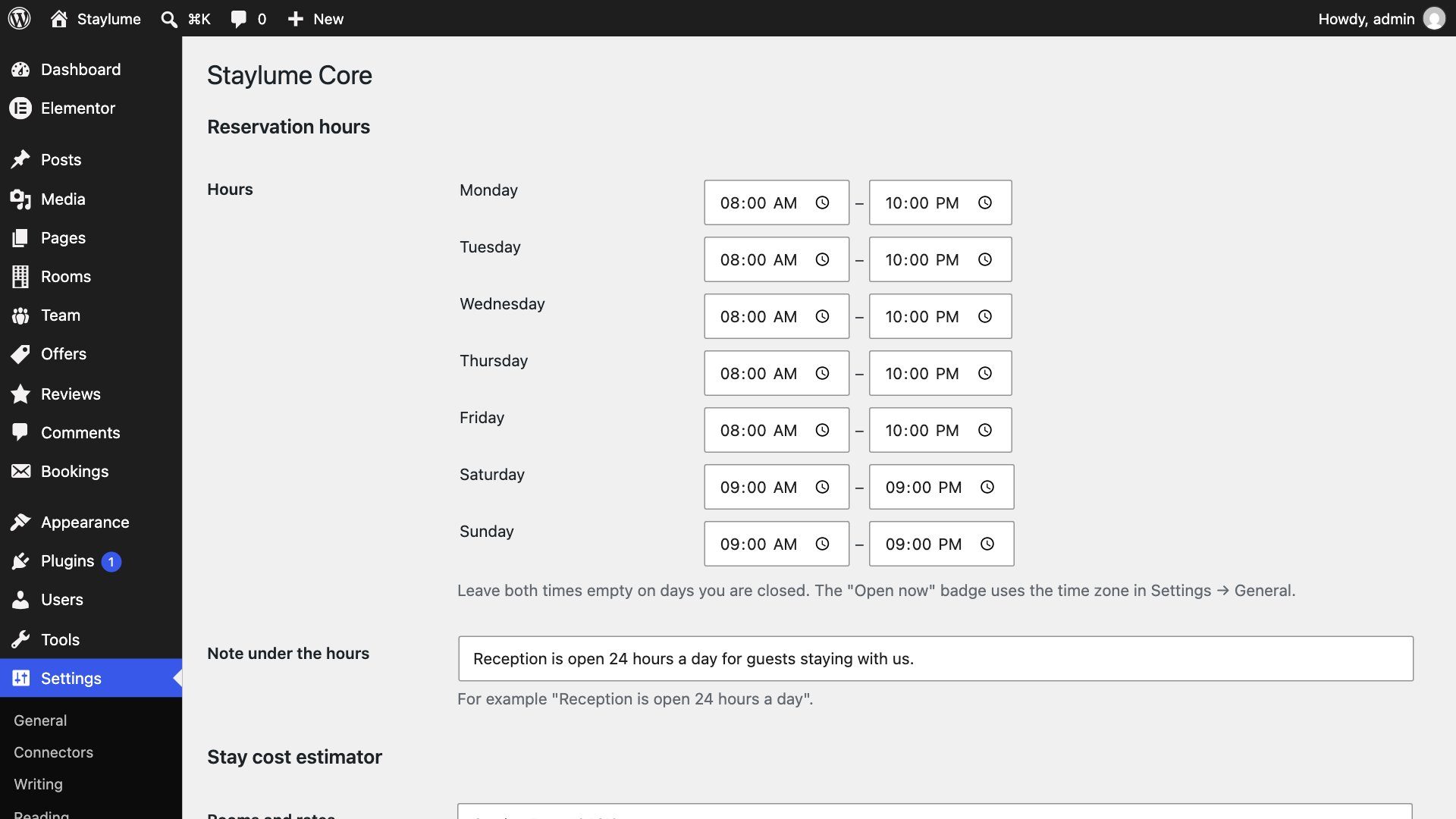
Settings → Staylume Core → Reservation hours: set an opening and a closing time for each day. Leave both empty on days you are closed, and add an optional note (for example "Reception is open 24 hours a day").
- The Reservation hours widget (Elementor) or
[staylume_hours]shortcode shows the hours beside your address and phone number. The Staylume: Reservation hours widget shows them in the sidebar or footer. - Today's row is highlighted, and a badge says Open now (with the closing time) or Closed now. The badge uses the time zone in Settings → General, and it is worked out in the visitor's browser, so it stays right even when your pages are cached.
- The week starts on the day set in Settings → General → Week Starts On; times use the time format set there.
Stay cost estimator
Settings → Staylume Core → Stay cost estimator: list your rooms, one per line as
Room|rate per night|sleeps, for example Garden Room|240|2. Set the currency symbol, the
long-stay discount and the number of nights that gets it, and the note under the result.
The Stay cost estimator widget (or [staylume_calculator]) lets a visitor pick a room
and the number of nights. It shows the total and the price per night ("About $5,607 in total, or $801 a night"),
worked out in the browser: nothing is sent or stored. Turn on List the rooms in the widget to show every room
with its rate beside the estimator.
Page options
Each page has a Page options box in the editor sidebar:
- Accent colour for this page: overrides the Customizer accent on this page only. The demo uses it to give each demo home page its own colour.
- Deep colour, background colour and text colour: the colour of the dark bands, the page background and the text, for this page only.
- Heading font: Playfair, or Mona Sans with Playfair italics (the City boutique hotel and Spa demos use it).
- Colour scheme: light or dark for this page only (the City boutique hotel demo is dark).
- Header layout: centered, classic or minimal (a full-screen menu behind a button), for this page only.
- Header over the top of the page: Automatic puts the header over a full-screen hero photo; choose Always or Never to decide yourself.
- Address in the footer on this page: one line per row. The Contact details widget shows it instead of its own address on this page, so a group with several hotels can give each hotel's page its own address (the City boutique hotel, Mountain lodge, Country inn and Lakeside demos do this).
Leave them empty to follow the Customizer.
Page templates
| Template | Use |
|---|---|
| Default | Page title band, content and no sidebar. |
| Full width, no title | For pages built with Elementor: the content fills the screen and you add your own hero. All demo pages use it. |
| Full width with title band | The title band, then full-width content. |
Customizer settings
Appearance → Customize. Colours are in the Colors section; everything else is in the Staylume options panel. Changes show in the preview before you publish them.
| Setting | Type | Default |
|---|---|---|
| Colors | ||
| Accent colour (buttons, links, icons) | color | #a4532b |
| Ink colour (text, header, footer) | color | #15201d |
| Paper colour (page background) | color | #f4efe6 |
| Deep colour (dark bands, call to action, footer) | color | #12302e |
| Style and fonts | ||
| Colour scheme | select | Light |
| Show a light/dark switch in the header | checkbox | Off |
| Animate titles, photos and sections as they scroll into view | checkbox | On |
| Smooth scrolling with the mouse wheel | checkbox | On |
| Heading font | select | Playfair |
| Body font | select | Mona Sans |
| Body text size (px) | number | 17 |
| Corner rounding (px) | number | 0 |
| Header and top bar | ||
| Header layout | select | Centered: menu left, logo in the middle, book button right |
| Lay the header over full-screen photos at the top of a page | checkbox | On |
| Keep the header visible while scrolling | checkbox | On |
| Show the search button | checkbox | On |
| Header button text | text | empty |
| Header button link | url | empty |
| Show the top bar | checkbox | Off |
| Top bar text (for example your reception hours) | text | empty |
| Phone number | text | empty |
| Label next to the phone (for example "Best rate guaranteed") | text | empty |
| Footer | ||
| Widget columns | select | 4 |
| Show the site name in large letters at the bottom | checkbox | On |
| Footer text (links allowed). Leave empty for the site name and year. | textarea | empty |
| Show a back-to-top button | checkbox | On |
| Blog | ||
| Post list layout | select | Editorial: the newest post large, then a grid |
| Sidebar | select | No sidebar |
| Show the author on posts | checkbox | On |
| Show the date on posts | checkbox | On |
| Show related posts under each post | checkbox | On |
| Mobile call bar | ||
| Show a call and book bar at the bottom of phone screens | checkbox | On |
| Second button text (the first button calls your phone number) | text | empty |
| Second button link | url | empty |
The site title, tagline, logo, site icon, background and homepage settings are WordPress's own, in Site Identity, Background image and Homepage Settings.
Widgets
Appearance → Widgets. Areas: Blog sidebar and Footer column 1 to Footer column 4 (set the number of footer columns in the Customizer). The plugin adds three widgets, named Staylume: … in the widget list:
- Contact details — phone, email and address, each with a link, and an optional directions link. A page can show its own address here (the Page options box, for a group with several hotels).
- Reservation hours — your hours from Settings → Staylume Core, with an "Open now" badge.
- Rooms list — links to your rooms; the current room is highlighted.
Building pages with Elementor
All demo pages are built with the free Elementor plugin and the theme's widgets.
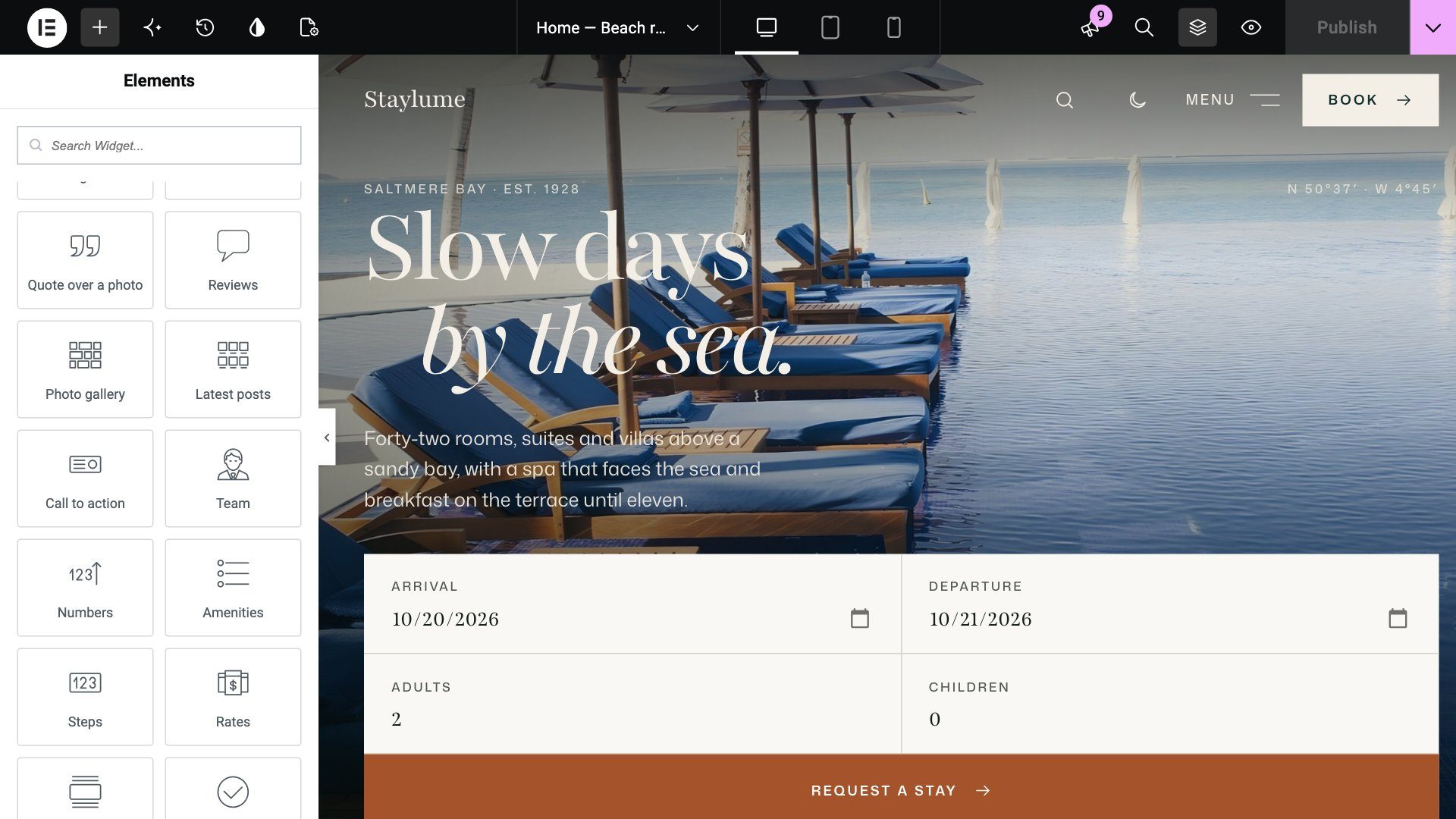
- Create a page, set its Template to Full width, no title, and click Edit with Elementor.
- Search for the widget or open the Staylume group in the left panel and drag a widget onto the page.
- Edit its text and options in the left panel. Every widget has a Background option (light, paper, dark or accent colour) so sections alternate like the demo.
The widgets fill themselves from your content: Rooms, Room types, Offers, Team, Reviews
and Latest posts show the items you add in the dashboard. List fields (prices, steps,
questions…) take one item per line, with the parts separated by |, as the help text under each field shows.
Elementor's own Google Fonts loading is switched off by the demo import, so the site keeps using the theme's self-hosted fonts.
Without Elementor: shortcodes
Every widget is also a shortcode, so you can build the same sections in the block editor: add a Shortcode block and type, for example:
[staylume_rooms layout="grid" count="8" columns="4" occasion="romance"]
[staylume_free_rooms title="Rooms free *for your dates*"]
[staylume_room_calendar room="junior-suite"]
[staylume_booking title="Book your stay"]
Options are the same as in Elementor. In list options, separate items with || and parts with
|. Images take an attachment ID (Media → Library → the number in the address) or a full URL.
Hero — [staylume_hero]
| Option | What it does |
|---|---|
layout | Layout Choices: cinema, slides, editorial, split, page |
primary_label | Button text |
primary_url | Button link |
secondary_label | Second link text |
secondary_url | Second link |
show_phone | Show the phone number (from the Customizer) |
finder | Show the booking bar (arrival, departure and guests) |
finder_rooms | Booking bar: only these rooms (slugs, comma-separated; empty = every room) |
image | Photo |
gallery | Photos for the "changing photos" layout |
meta_left | Small line, top left (for example "Saltmere Bay · Est. 1928") |
meta_right | Small line, top right (for example coordinates) |
badge | Turning badge text (for example "Book direct · Best rate · ") |
rating | Rating (for example 9.4) |
rating_text | Rating note (for example "640 guest reviews") |
Also: eyebrow, title, text, tone.
Booking bar — [staylume_finder]
| Option | What it does |
|---|---|
only | Only these rooms (slugs, comma-separated; empty = every room) |
Also: eyebrow, title, text, tone.
Rooms free for your dates — [staylume_free_rooms]
| Option | What it does |
|---|---|
only | Only these rooms (slugs, comma-separated; empty = every room) |
Also: eyebrow, title, text, tone.
Room availability calendar — [staylume_room_calendar]
| Option | What it does |
|---|---|
room | Room (its slug, for example "junior-suite") |
Also: eyebrow, title, text, tone.
Statement and numbers — [staylume_statement]
| Option | What it does |
|---|---|
aside | Short note under the label |
items | Numbers as Value|Label, one per line (optional) |
Also: eyebrow, text, tone.
Rooms — [staylume_rooms]
| Option | What it does |
|---|---|
layout | Layout Choices: slider, grid, list |
count | How many |
roomtype | Only this room type (slug, optional) |
occasion | Only this occasion (slug, optional) |
only | Only these rooms: slugs, separated by commas (optional) |
show_price | Show prices |
filter | Grid: show room type filters |
more_label | Link text (for example "All rooms") |
more_url | Link |
Also: eyebrow, title, text, columns, tone.
Room types — [staylume_roomtypes]
| Option | What it does |
|---|---|
layout | Layout Choices: list, tiles |
count | How many room types |
Also: eyebrow, title, text, tone.
Experiences — [staylume_experiences]
| Option | What it does |
|---|---|
items | One per line: Title|Text|Link text|Link |
images | Photos, in the same order as the lines |
Also: eyebrow, title, text, tone.
Moving words — [staylume_marquee]
| Option | What it does |
|---|---|
items | Words or short phrases, one per line |
style | Style Choices: serif, outline, caps |
speed | Speed Choices: slow, normal, fast |
Also: tone.
Offers — [staylume_offers]
| Option | What it does |
|---|---|
layout | Layout Choices: editorial, grid |
count | How many |
occasion | Only this occasion (slug, optional) |
upcoming | Hide offers that have ended |
more_label | Link text (for example "All rooms") |
more_url | Link |
Also: eyebrow, title, text, tone.
Quote over a photo — [staylume_quote]
| Option | What it does |
|---|---|
quote | Quote |
cite | Who said it (for example "Lucas Bernard · Head concierge") |
image | Photo |
video_url | Film link (YouTube, Vimeo or an .mp4 file, optional) |
video_label | Film button text |
Reviews — [staylume_reviews]
| Option | What it does |
|---|---|
layout | Layout Choices: slider, grid |
score | Average score (for example 9.4) |
score_text | Score note (for example "Average from 640 verified stays") |
count | How many |
only | Only these reviews: reviewer names, separated by commas (optional) |
Also: eyebrow, title, text, tone.
Photo gallery — [staylume_gallery]
| Option | What it does |
|---|---|
images | Photos |
layout | Layout Choices: columns, mosaic |
Also: eyebrow, title, tone.
Latest posts — [staylume_posts]
| Option | What it does |
|---|---|
layout | Layout Choices: editorial, grid |
count | How many |
category | Only this category (slug, optional) |
only | Only these posts: slugs, separated by commas (optional) |
more_label | Link text (for example "All rooms") |
more_url | Link |
Also: eyebrow, title, text, tone.
Call to action — [staylume_cta]
| Option | What it does |
|---|---|
layout | Layout Choices: arch, photo, plain |
button_label | Button text |
button_url | Button link |
show_phone | Show the phone number |
image | Photo |
Also: eyebrow, title, text, tone.
Team — [staylume_team]
| Option | What it does |
|---|---|
count | How many |
only | Only these people: names, separated by commas (optional) |
Also: eyebrow, title, text, columns, tone.
Numbers — [staylume_stats]
| Option | What it does |
|---|---|
items | Numbers as Value|Label, one per line |
Also: eyebrow, title, text, tone.
Amenities — [staylume_features]
| Option | What it does |
|---|---|
items | One per line: icon|Title|Text. Icons: bed, key, size, moon, wifi, coffee, bath, pool, spa, bell, car, dumbbell, snow, fire, cocktail, door, tv, plane, mountain, sun, palm, boat, wine, utensils, globe, shield, clock, tag, star, badge, check, users, phone, calendar, sparkle, leaf, heart. |
image | Photo (optional) |
Also: eyebrow, title, text, columns, tone.
Steps — [staylume_steps]
| Option | What it does |
|---|---|
items | Steps as Title|Text, one per line |
Also: eyebrow, title, text, tone.
Rates — [staylume_pricing]
| Option | What it does |
|---|---|
items | One per line: Name|Price|Note|Feature; Feature; Feature|yes (to highlight)|Button text|Button link |
note | Small print under the rates |
Also: eyebrow, title, text, tone.
Questions — [staylume_faq]
| Option | What it does |
|---|---|
items | Questions as Question|Answer, one per line |
Also: eyebrow, title, text, tone.
Promises strip — [staylume_trust]
| Option | What it does |
|---|---|
items | One per line: icon|Text |
Also: tone.
Stay cost estimator — [staylume_calculator]
| Option | What it does |
|---|---|
button | Button text |
show_list | List the rooms and rates per night (from Settings → Staylume Core) |
Also: eyebrow, title, text, tone.
Phone banner — [staylume_emergency]
| Option | What it does |
|---|---|
phone | Phone (empty = the Customizer phone) |
Also: title, text, tone.
Story with photos — [staylume_about]
| Option | What it does |
|---|---|
body | Second paragraph |
image | Large photo |
image_2 | Small photo (optional) |
badge_value | Badge number (for example 1928) |
badge_label | Badge text |
points | Points, one per line |
signature | Signature (for example "Elena Marchetti, General manager") |
button_label | Button text |
button_url | Button link |
reverse | Photos on the right |
Also: eyebrow, title, text, tone.
Booking form — [staylume_booking]
| Option | What it does |
|---|---|
layout | Layout Choices: split, stacked |
points | Points beside the form, one per line |
button | Button text |
show_phone | Show the phone number |
Also: eyebrow, title, text, tone.
Reservation hours and address — [staylume_hours]
| Option | What it does |
|---|---|
address | Address |
email | Email (optional) |
map_url | Directions link (for example a map link) |
show_phone | Show the phone number |
Also: eyebrow, title, text, tone.
Shortcodes: [staylume_hero], [staylume_finder], [staylume_statement], [staylume_experiences], [staylume_marquee], [staylume_quote], [staylume_gallery], [staylume_rooms], [staylume_roomtypes], [staylume_reviews], [staylume_team], [staylume_stats], [staylume_features], [staylume_steps], [staylume_pricing], [staylume_faq], [staylume_cta], [staylume_trust], [staylume_calculator], [staylume_offers], [staylume_posts], [staylume_emergency], [staylume_about], [staylume_booking], [staylume_hours], [staylume_free_rooms], [staylume_room_calendar].
Block editor and patterns
Posts and simple pages use the WordPress block editor. Every core block is styled to match the theme, and the editor shows the theme's fonts and colours. Click + → Patterns → Staylume for ready-made sections: hero with call button, three services, call to action, questions and answers, three reviews, price table and contact details. The theme also adds block styles: Card (Group), Check marks (List), Eyebrow (Paragraph) and Framed (Image).
Blog
Settings → Reading → Posts page sets the page that lists your posts (the demo uses "Blog"). Choose a grid or list layout and the sidebar position in Customize → Staylume options → Blog. Posts show the author, date, category, share links (turn them off in Settings → Staylume Core) and related posts.
Light and dark mode
Customize → Staylume options → Style and fonts → Colour scheme: Light, Dark or Follow the visitor's device. With Show a light/dark switch on, visitors can switch with the moon button in the header; their choice is remembered on that device. A single page can be forced to light or dark in its Page options.
Child theme
If you want to change the theme's code, install staylume-child.zip and activate Staylume Child.
Put your CSS in the child theme's style.css and your PHP in its functions.php; copy a
template file from staylume into the child theme to override it. Theme updates replace the parent theme
only, so your changes are kept.
Small style changes do not need a child theme: use Customize → Additional CSS.
Translation and right-to-left
Every text in the theme and the plugin can be translated. The templates are
staylume/languages/staylume.pot and staylume-core/languages/staylume-core.pot.
- Easiest: install Loco Translate → Loco Translate → Themes → Staylume → New language, and translate in your browser. Do the same under Plugins for Staylume Core.
- Or use Poedit: open the .pot file, translate, and save the files as
staylume-fr_FR.po/.moinwp-content/languages/themes/.
Right-to-left languages (Arabic, Hebrew, Persian…) are supported: when WordPress runs in such a language, the layout mirrors automatically.
Updating
When a new version is released, download it from your ThemeForest Downloads page. Then either:
- Appearance → Themes → Add New Theme → Upload Theme → choose the new
staylume.zip→ Replace current with uploaded; or - replace the
wp-content/themes/staylumefolder by FTP.
When the theme comes with a newer Staylume Core, the dashboard notice offers to update the plugin. Your content, menus, widgets and Customizer settings are kept. Changes you made to the parent theme's files are lost: keep them in the child theme.
Questions
"The package could not be installed. The theme is missing the style.css stylesheet."
You uploaded the whole download. Unzip it first and upload staylume.zip only.
The import stopped or shows an error.
Your host stopped the import early. Ask them to raise max_execution_time to 300 and memory_limit to 256M, then run the import again: items already imported are skipped.
The pages look plain after the import.
Activate Elementor and the theme's plugin, then reload. Without Elementor, the pages show the same sections through shortcodes.
Booking emails do not arrive.
Bookings are always saved under Bookings. For email, check the address in Settings → Staylume Core and install an SMTP plugin such as WP Mail SMTP; many hosts block WordPress's default mail.
Where are the demo photos?
They are licensed for the live demo only, so the import uses placeholders. Add your own photos in Media → Library and set them as featured images.
How do I change the font?
Customize → Staylume options → Style and fonts → heading and body font. All fonts are included in the theme; no Google Fonts requests.
How do I remove the top bar or the phone bar on mobile?
Customize → Staylume options → Header and top bar → Show the top bar, and Mobile call bar.
Can I use the theme on more than one site?
A Regular licence covers one site (one end product). Buy one licence per site.
Support
Support is included with your purchase and covers questions about the theme's features and fixing bugs. It does not cover custom changes or problems caused by other plugins.
Email support@codememory.com with your purchase code and your site address. See the changelog for what changed in each version and third-party materials for credits.